Bridging the Gap Between Clinical Data and Patient Wellness
Project
Zenith
Year
2026
This project examines the friction between clinical data requirements and patient recovery capabilities. By leveraging spatial logic to organize complex medical information, I developed a high-fidelity interface that balances data precision for providers with emotional ease-of-use for patients.
Zenith is a smart web-responsive app designed to help people reach the peak of their well-being by making small, meaningful lifestyle changes. Through seamless health logging, device syncing, and personalized insights, Zenith guides users toward a more balanced daily rhythm. By integrating medical information, tracking habits, and offering gentle, actionable feedback, the app supports users in building healthier routines—one simple step at a time.
Scope of Work
User Research Insights
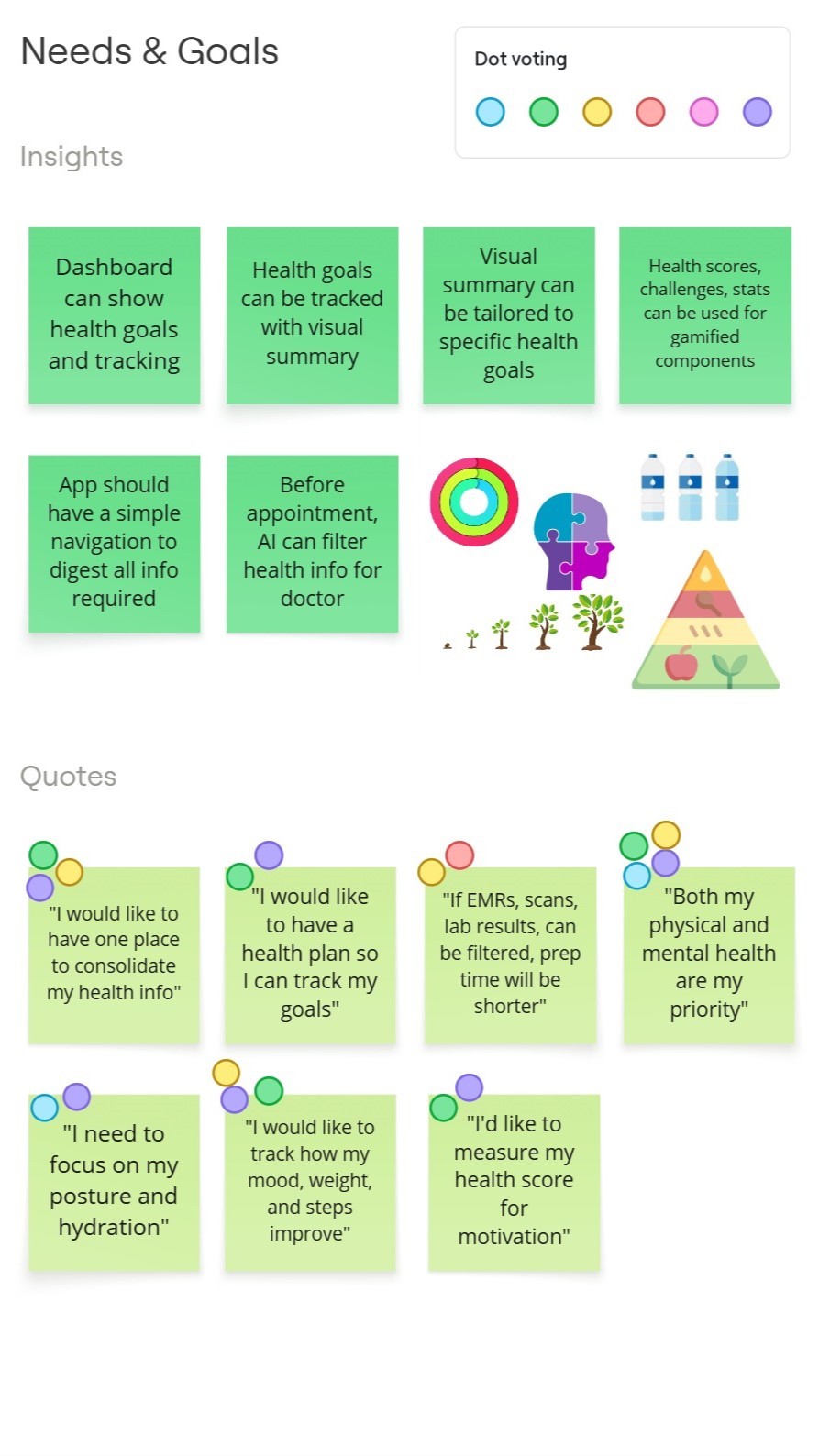
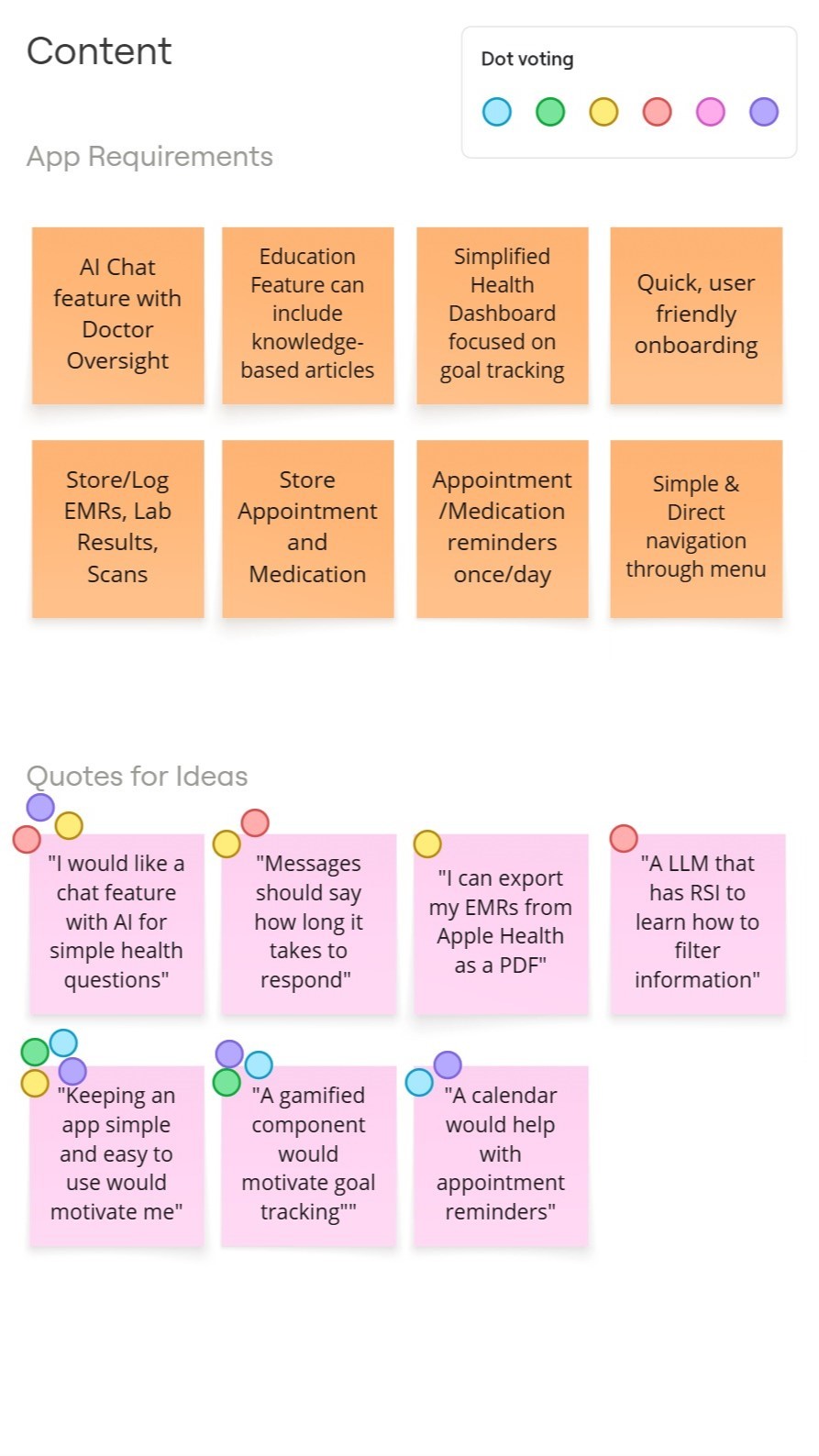
After conducting user interviews, dot voting, and affinity mapping, a key insight emerged: many rehabilitating or revitalizing patients strongly associate their mental and physical health, but they often lack clarity on how these areas influence one another. Despite this uncertainty, they are highly motivated to understand these connections so they can improve their overall well-being in meaningful and manageable ways.
At the same time, external pressures—such as work-life imbalance, juggling multiple tracking apps, and overwhelming notifications—make it difficult for them to stay consistent. This highlights a clear need for a single, cohesive app that centralizes health logging, syncs medical information, and offers guided support that breaks larger wellness goals into simple, actionable steps.
Meet Our First Persona, Hugo
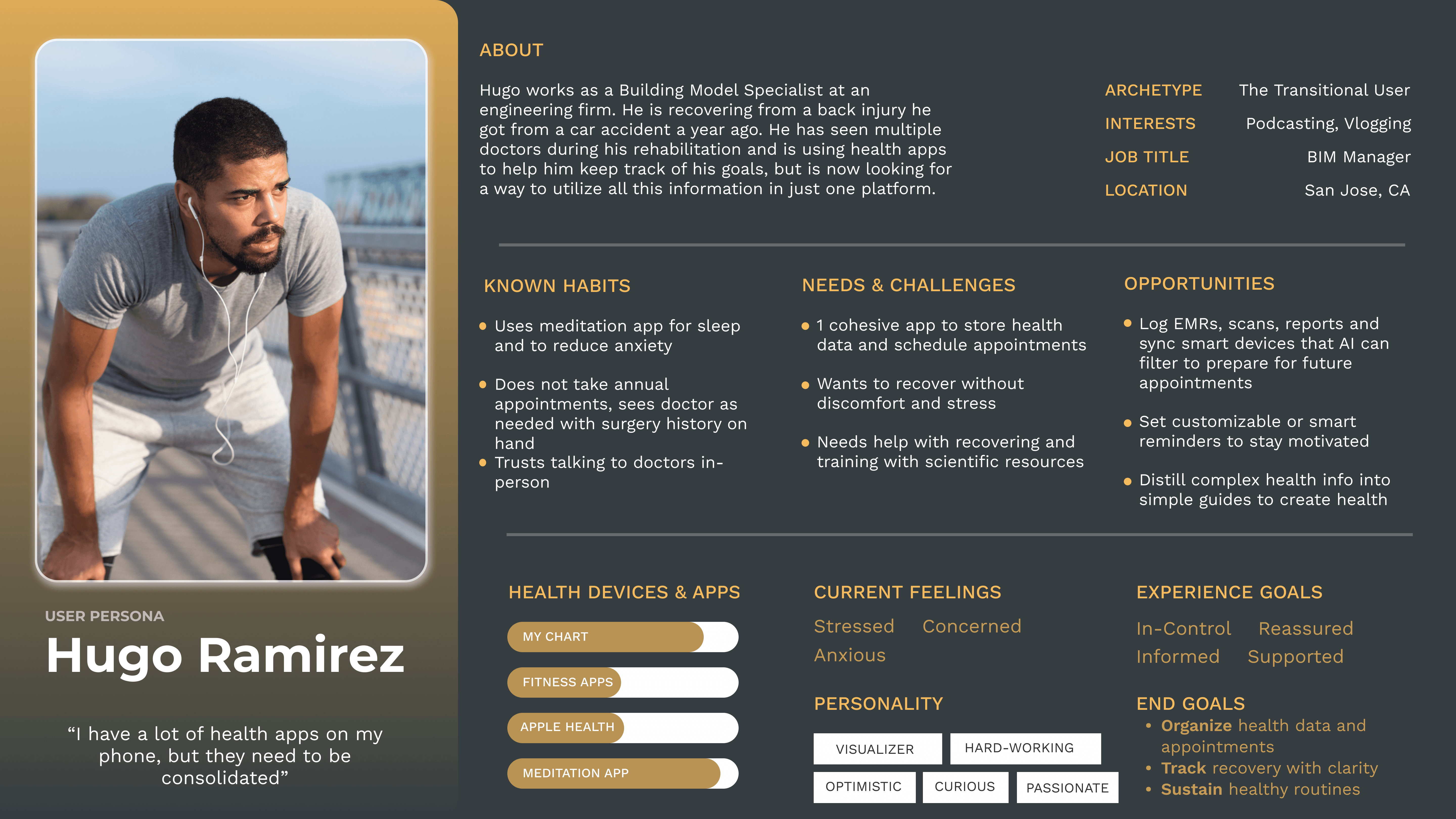
Hugo is recovering from an injury, and navigating the uncertainty of post-injury recovery. He needs reassurance, simple steps, and structured support as he transitions back to daily life.
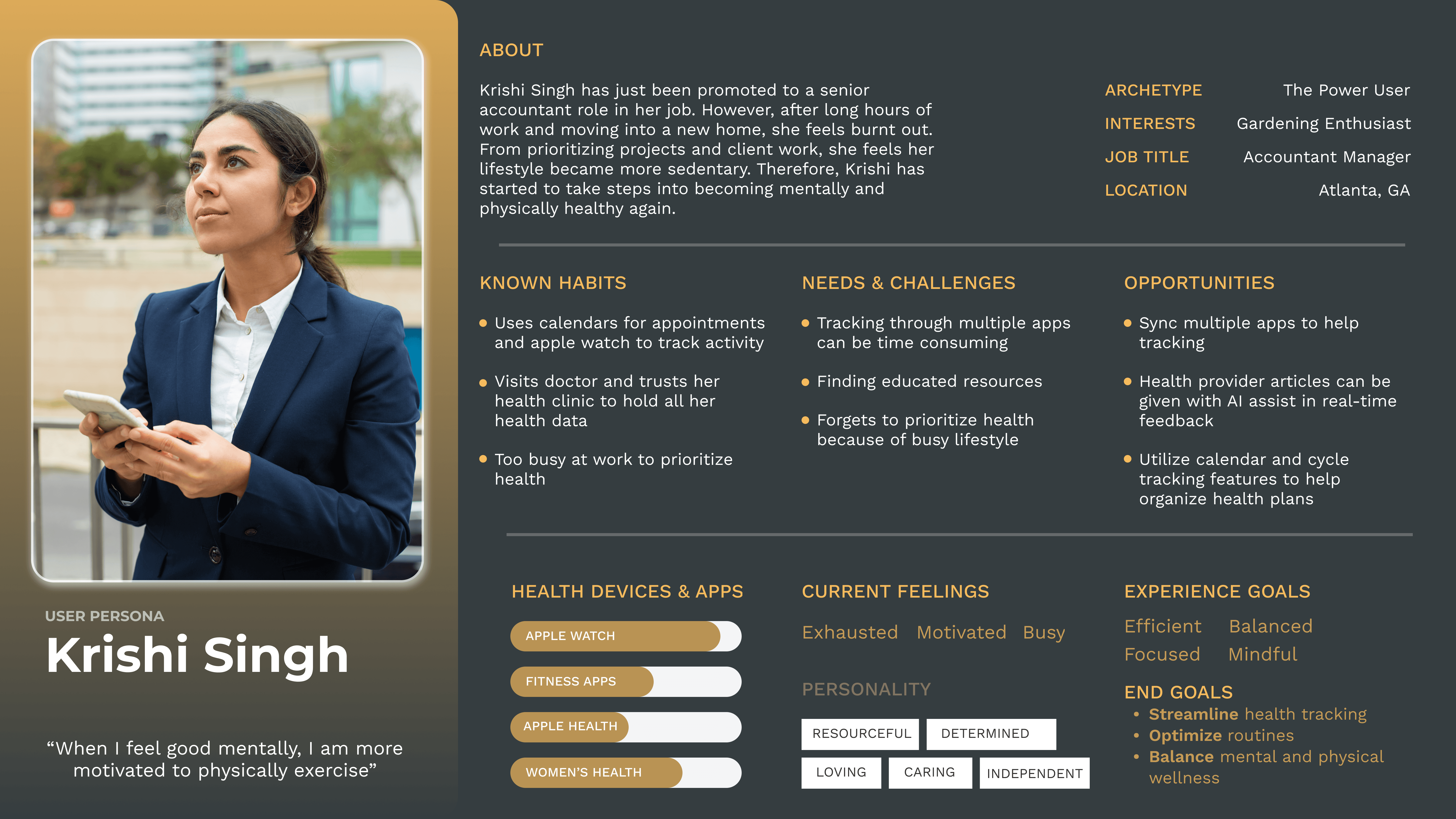
Meet Our Next Persona, Krishi
She seeks high-efficiency routines that integrate seamlessly into a demanding professional schedule. She needs smart automation, scientific supported insights, and routines that fit her lifestyle.
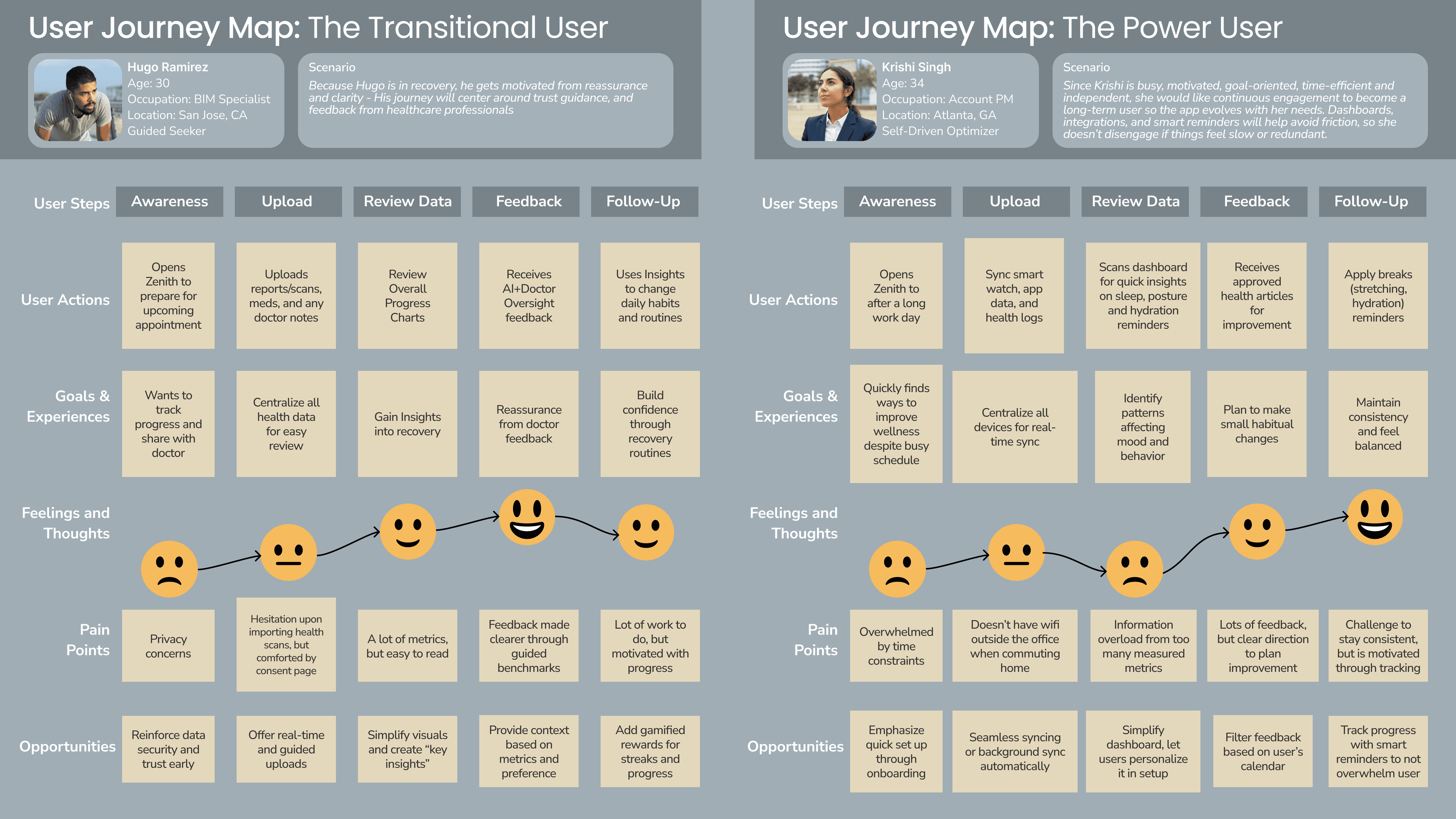
Journey Maps
These journeys helped me understand not just what Hugo and Krishi want, but why certain moments are stressful or motivating. This insight became the foundation for the user flows I designed next.
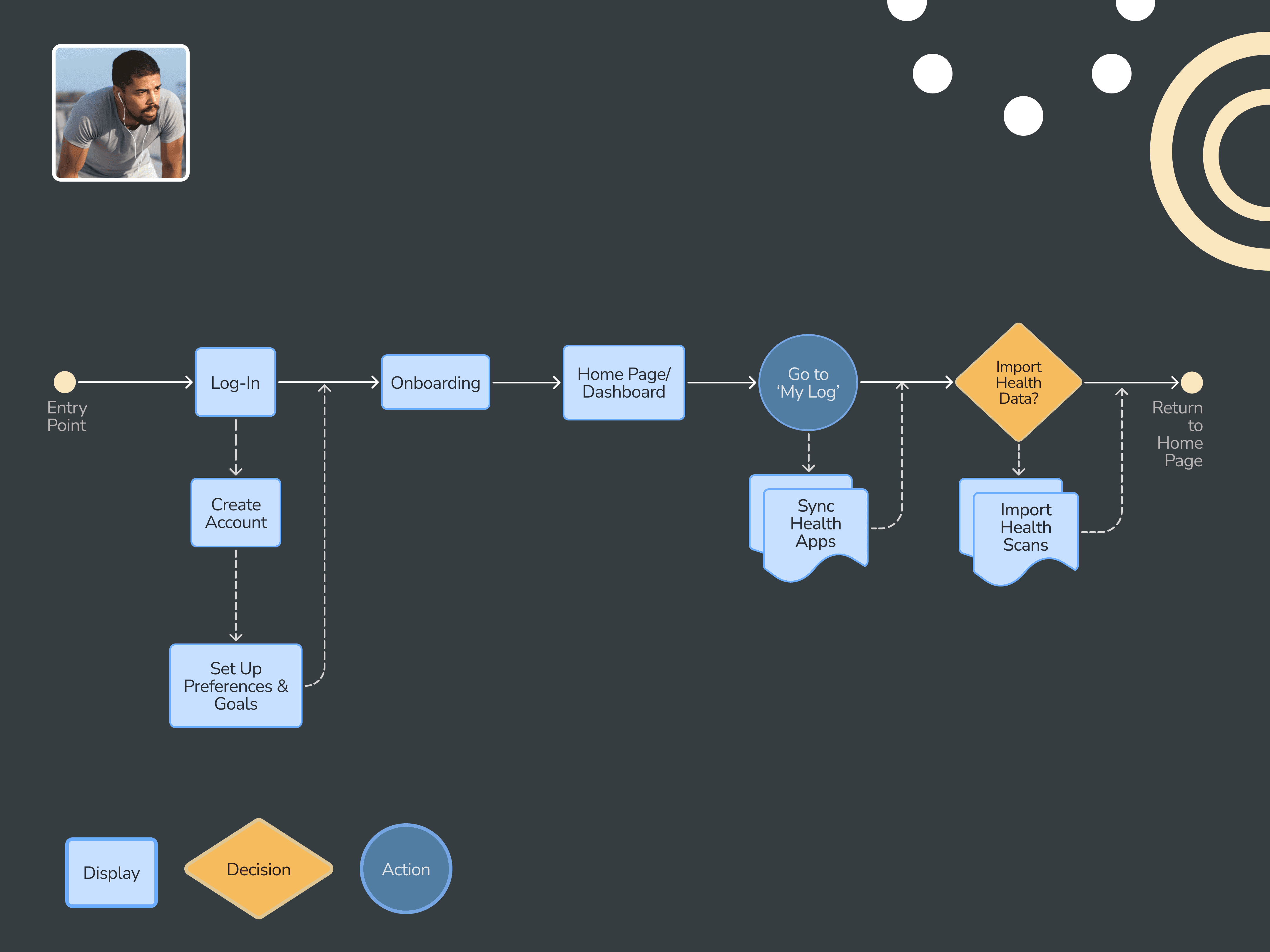
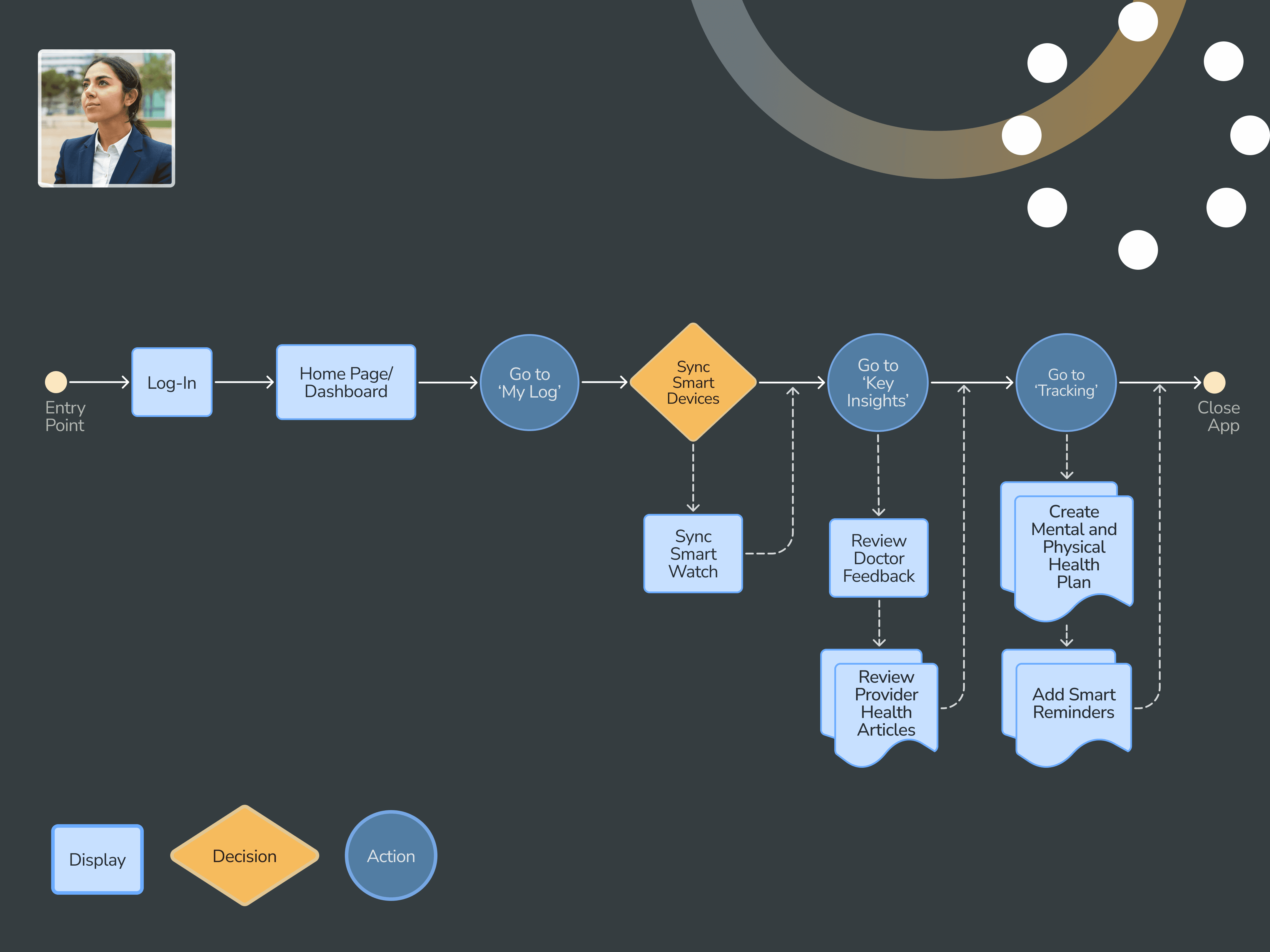
User Flows
When choosing user goals for the flows, I focused on the most meaningful tasks for each persona. For Hugo, I chose the goal of uploading and syncing his health data because he currently stores information across multiple apps and online tools and still wants to understand how his physical and mental recovery connect. By syncing everything and visualizing it clearly on the home page, he can finally see that full picture.
For Krishi, I chose the goal of creating and following a routine. She’s highly motivated but incredibly busy, so seamless syncing from her smartwatch and trusted provider data helps her start a personalized plan with confidence. Her flow focuses on making lifestyle change that feel achievable rather than overwhelming.
Site Map - Desktop
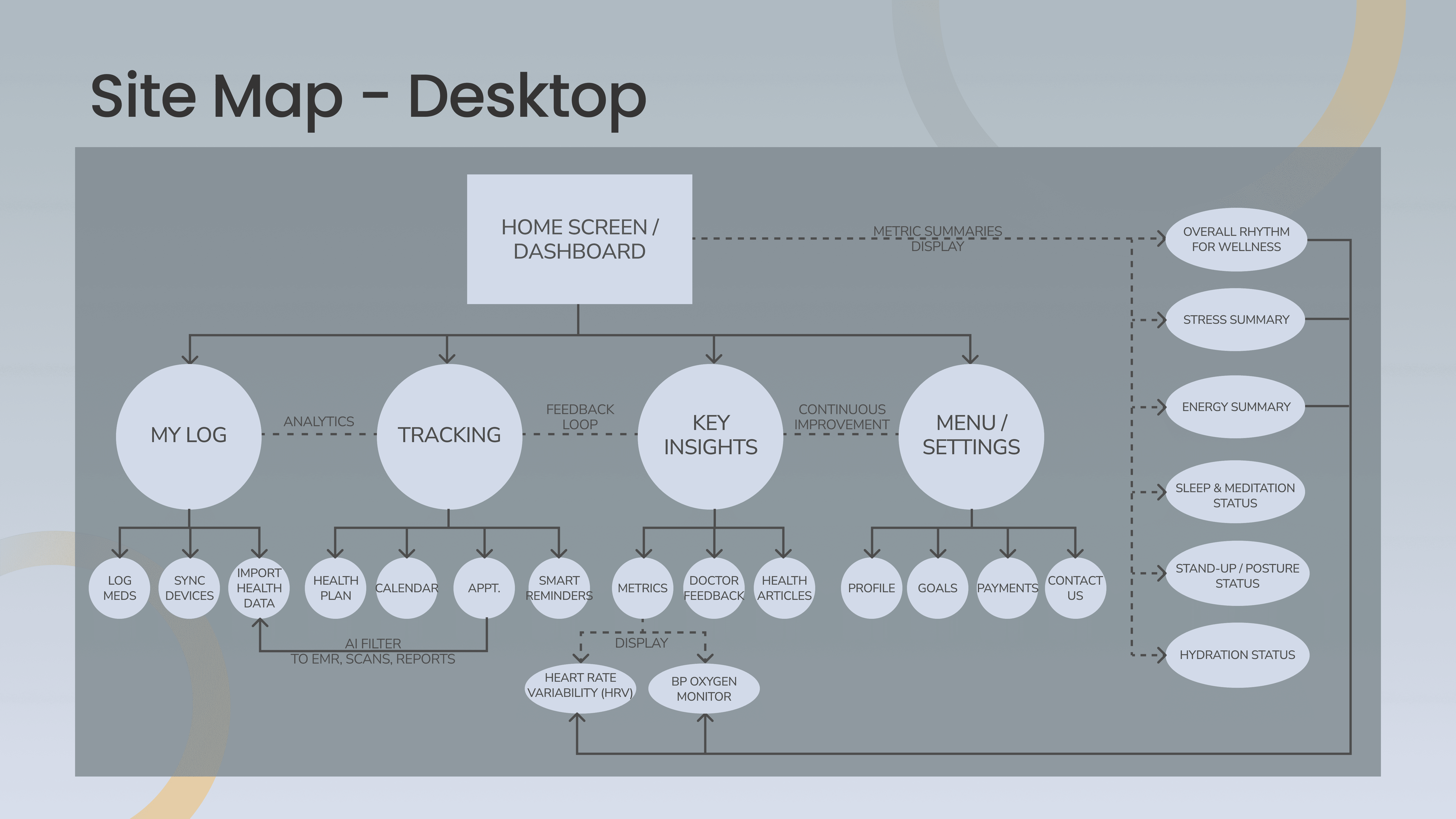
Initial Information Architecture (IA) utilized clinical terms like 'Sync' and 'Monitor.' However, card sorting indicated that users preferred more outcome-oriented language. I pivoted the taxonomy to 'My Log' and 'Tracking' to better align the system’s logical structure with the user's mental model.
Because so many participants responded this way, I updated the IA to reflect the terminology that felt natural to them. This not only made the structure clearer, but also reduced confusion and helped prevent circular navigation patterns. It was a good reminder to let user language guide the system language.
Site Map - Mobile
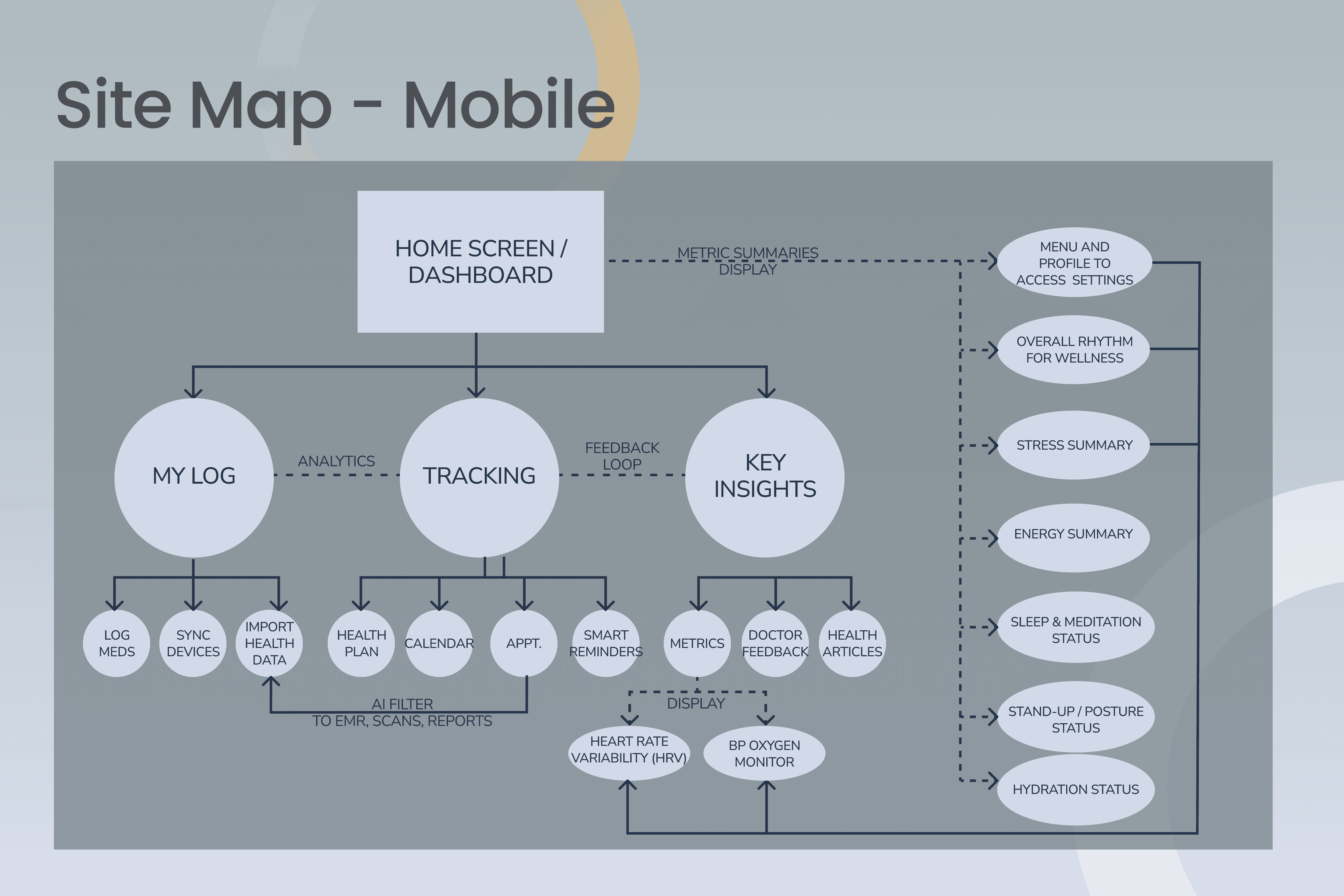
Since people will be away from their computers when they're accessing via mobile, research participants have cited that they feel the need to look up their status and look at quick information as they are commuting, exercising, on a coffee break, etc. Therefore, the need to access their setting categories can be found in a hamburger menu or their personal profile. Core functions will be used as their guide to finding the information they would need to access.
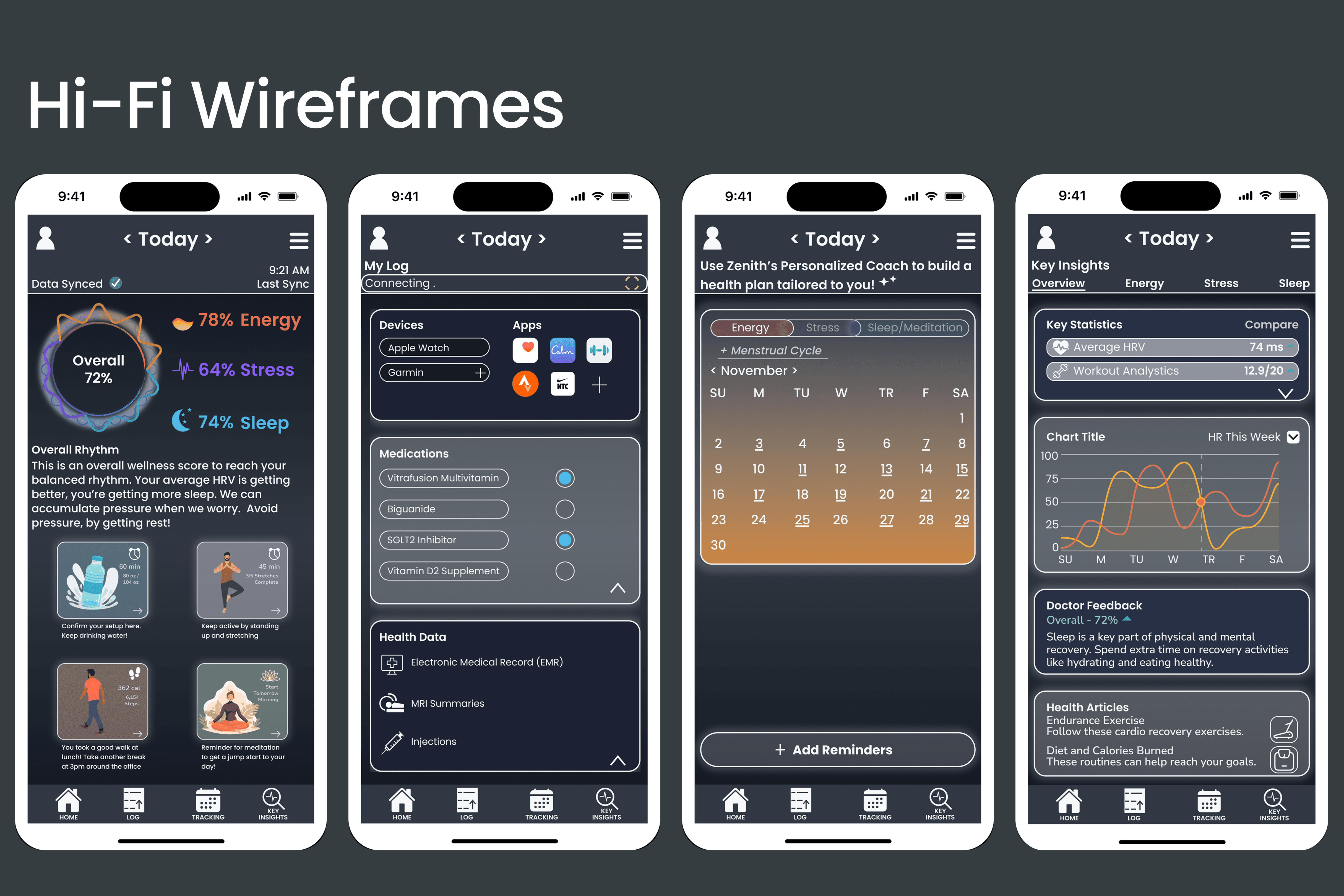
From Lo-Fi to Hi-Fi Wireframes
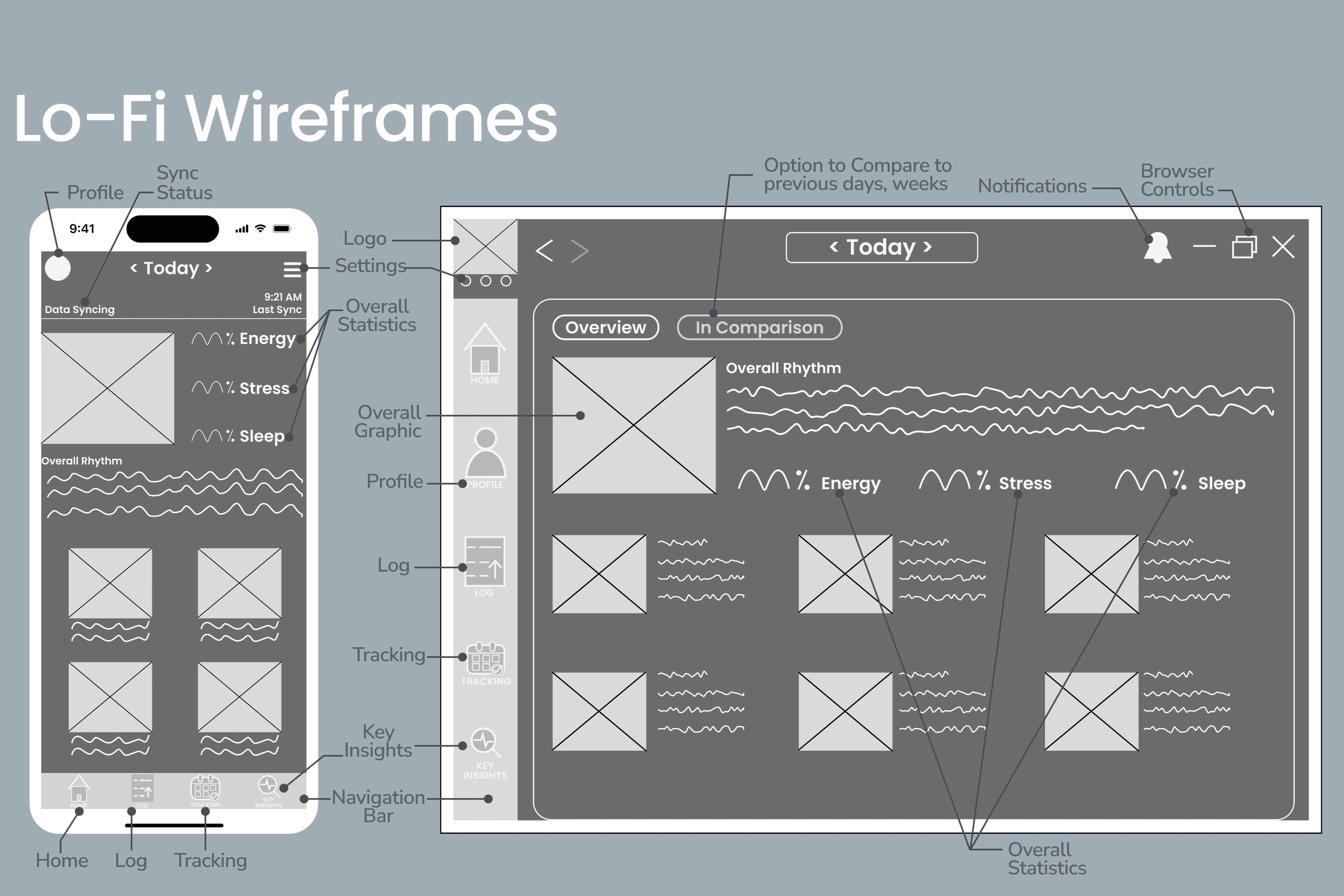
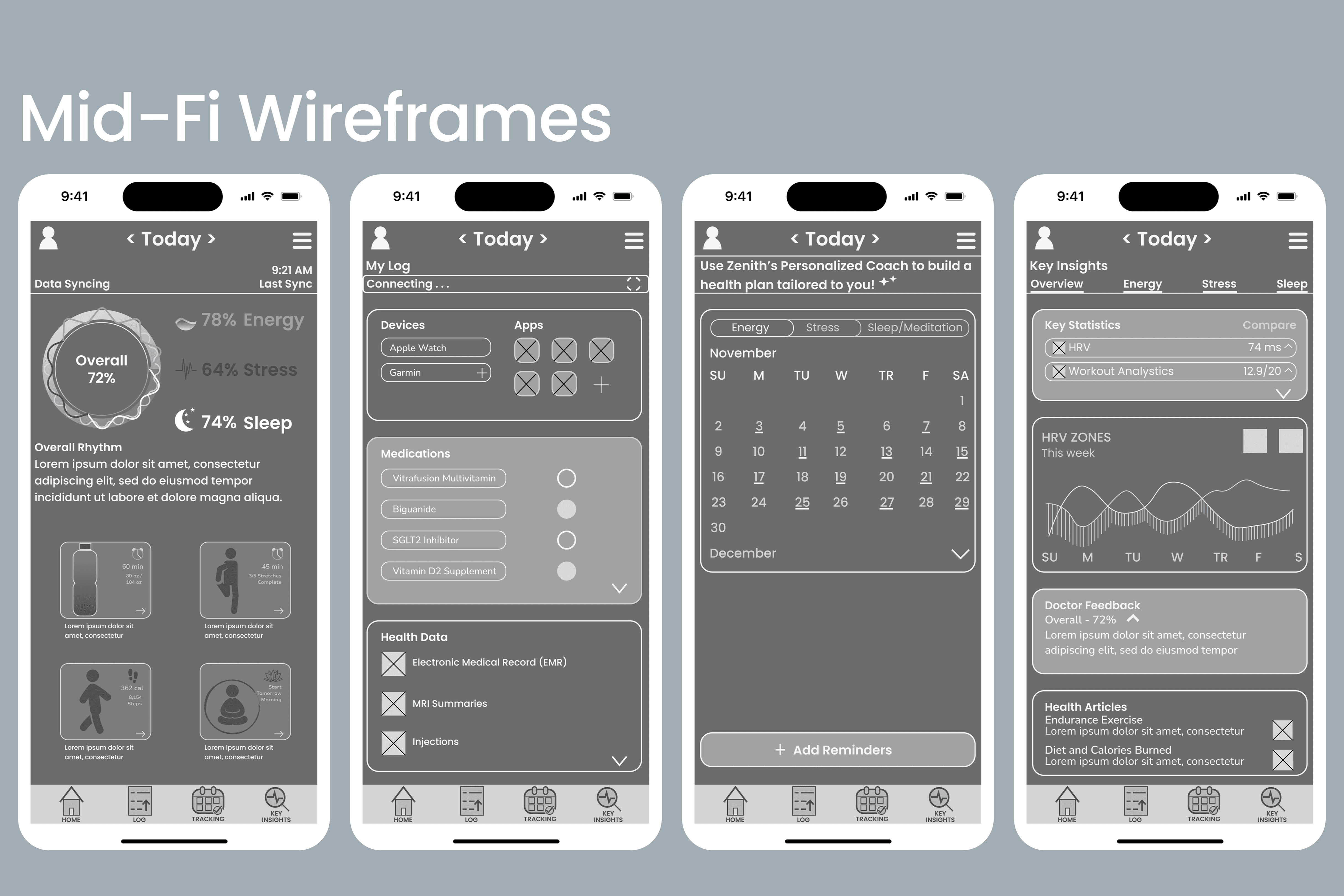
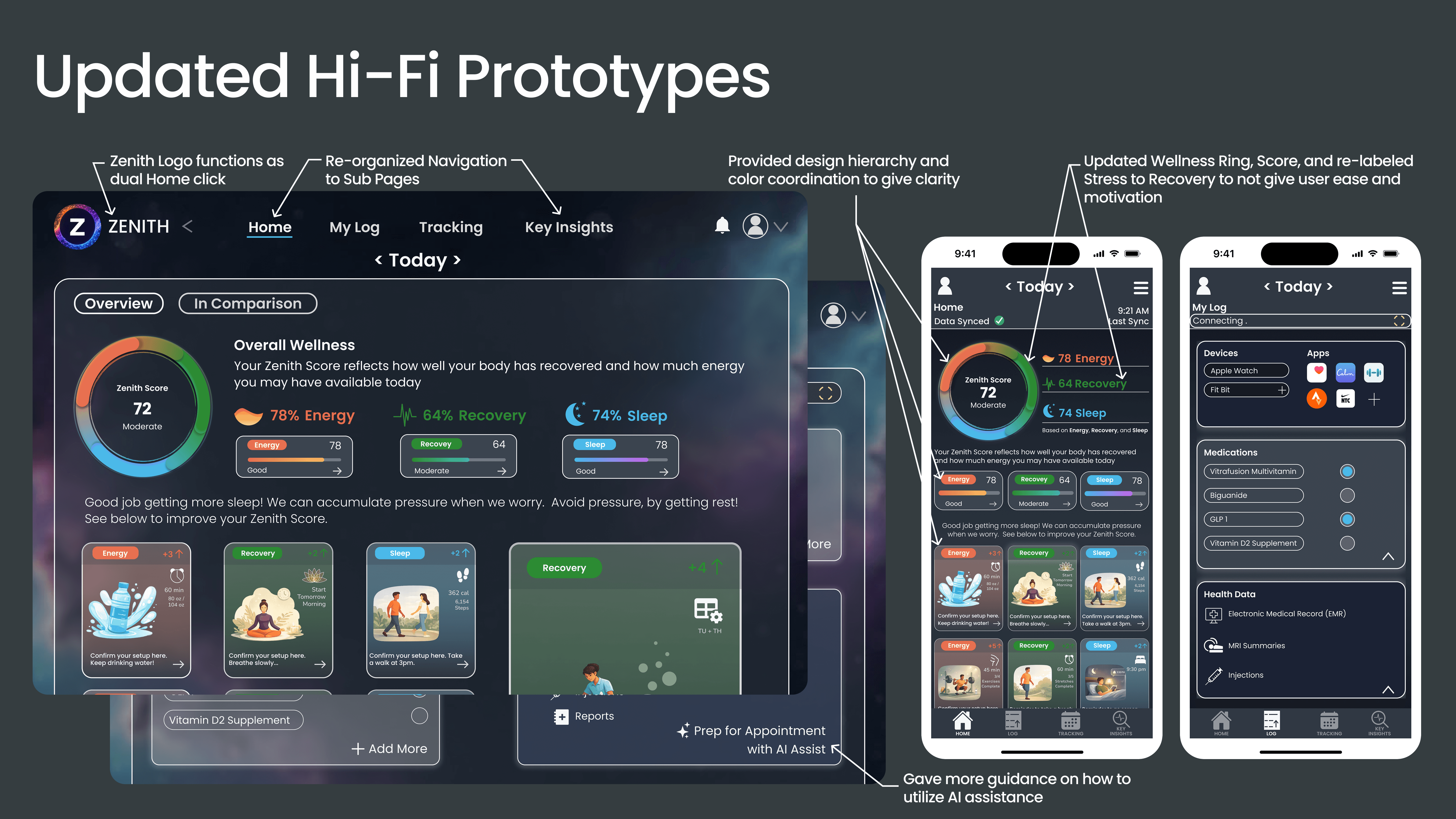
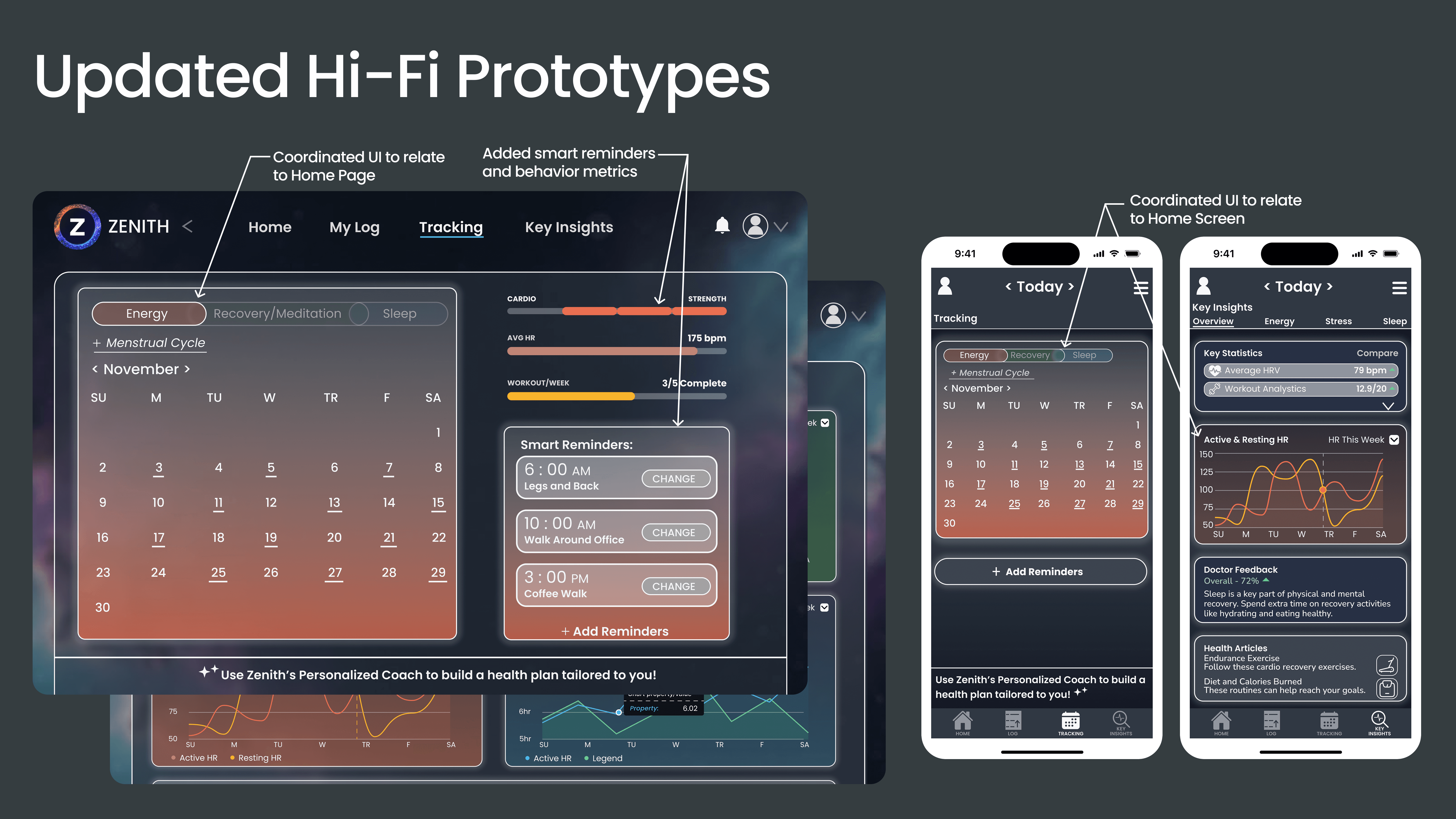
Since users like Hugo have difficulty transitioning to each app and would like to keep track of all their apps simultaneously, the home and log screens function to help give users a quick snapshot of their overall wellness as well as the apps and devices that are connected to give these metrics. Krishi is already very mindful and motivated, but she needs helpful reminders and help tracking per her busy schedule. Users like Krishi can access this information in Tracking. Users can have a structured feedback loop of their wellness and their clinician through the Key Insights screen.
Usability Test Report
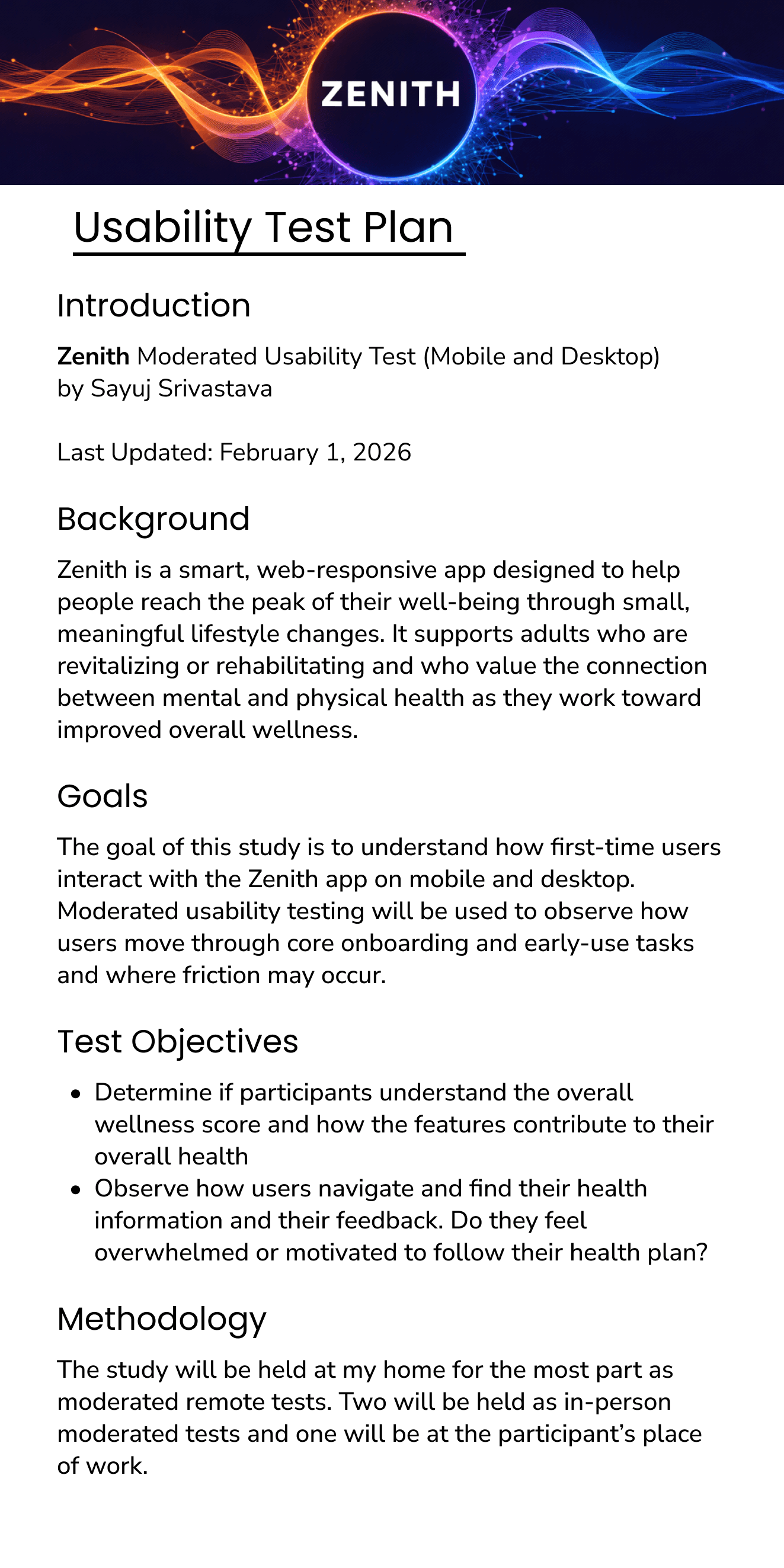
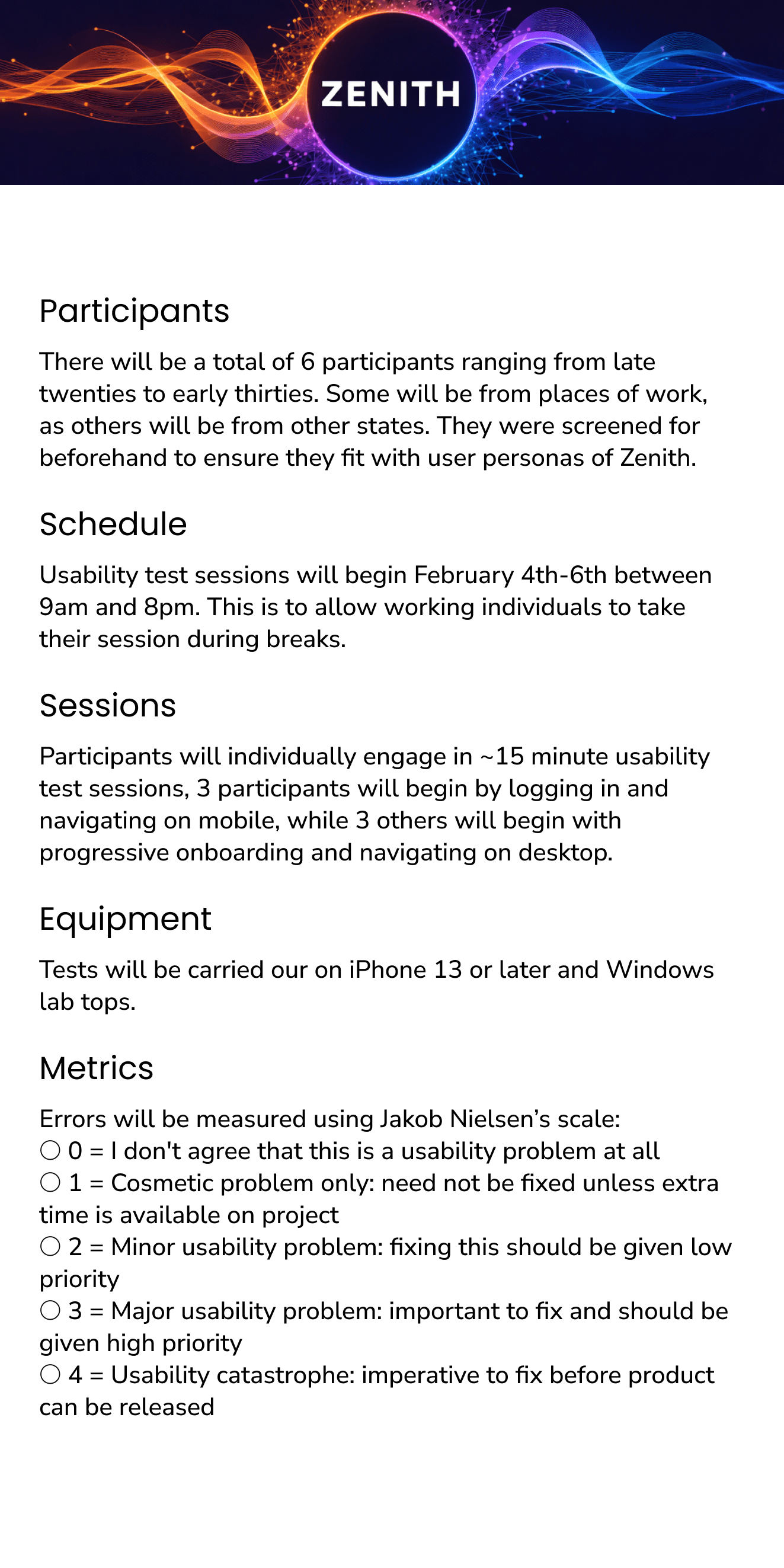
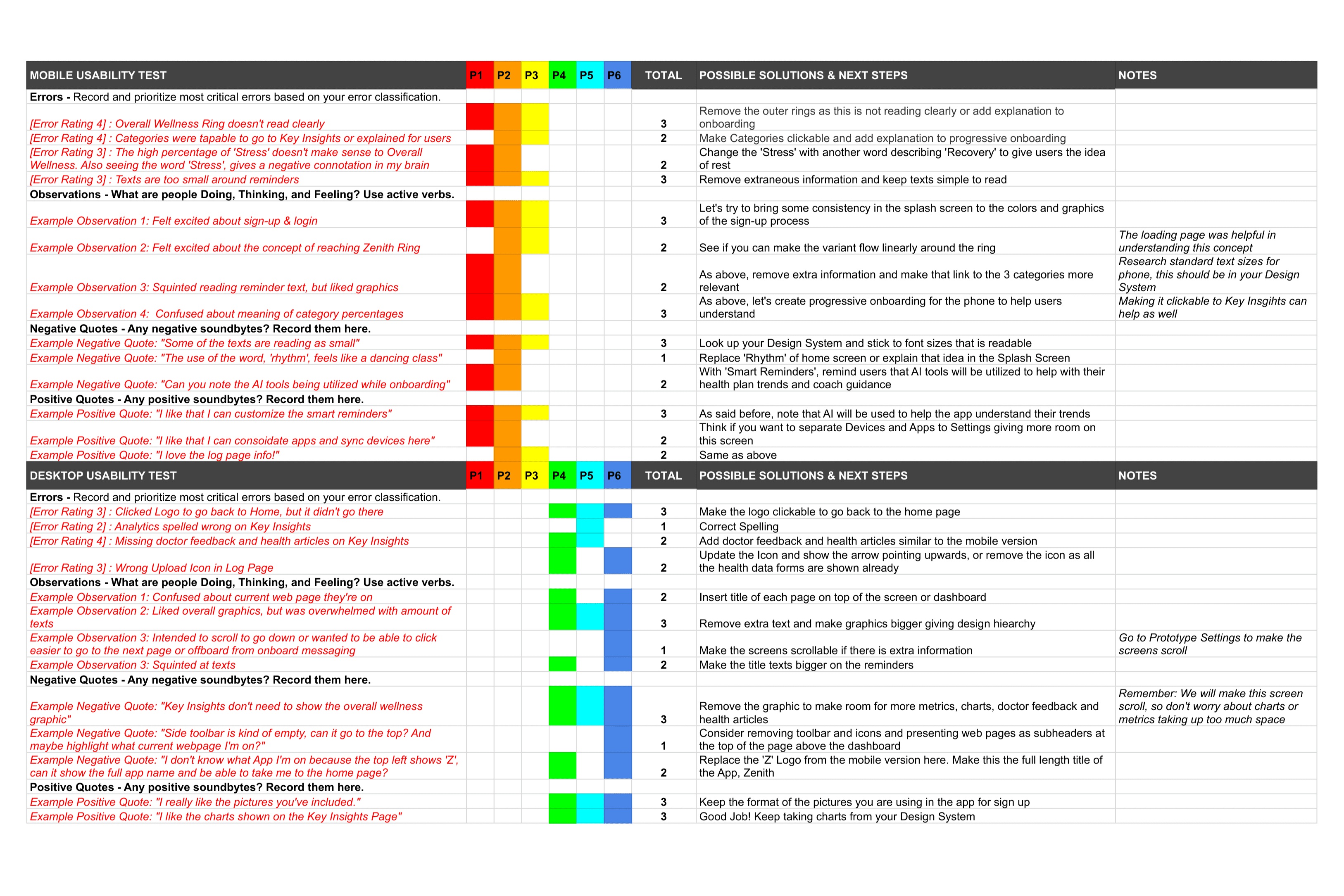
After conducting usability tests, I focused on the areas where I can provide better communication and clarity to the target user group. Main insights from the usability tests included the following for both desktop and mobile platforms:
Improve the Overall Wellness Rings
Bring design hierarchy and consistency across the platform
Provide clarity to users' balanced scores and how they can improve their wellness
Measuring Wellness Success
To ensure Zenith delivers both user value and business impact, we bridge the gap between design performance and organizational health. By optimizing UX metrics such as
Increasing Task Completion Rates for daily wellness activities and
Reducing Drop-Off Rates during habit-building flows
We directly influence long-term business KPIs. High user satisfaction in a wellness context leads to improved employee retention and lower healthcare costs, effectively transforming seamless digital interactions into measurable productivity gains and a healthier workforce.
To View the Desktop Prototype: Click Here